

Read the previous article
Algengar spurningar
Skip to main content
Skip to menu
Skip to footer

Ekip Connect
Everything in view, all under control
Select your language
Select your language
Troubleshooting
| Issue | Solution |
|---|---|
| Unable to scan for a device | Have you installed any of these ABB Softwares?
In that case, please close and uninstall them as they can interfere with Ekip Connect. If the issue persists, please contact our support. Have you double checked the presence of COM port under device manager once connected the T&P adapter? A possible solution is to allocate the T&P to a different COM port:

 If the above solution proposed doesn't work, you can perform a full uninstall of the T&P drivers (FTDI) from windows and try again:


C:\ProgramData\ABB\EkipConnect3\Drivers\FTDI  |
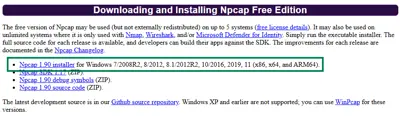
Error when trying to connect to a device via Ethernet with the network discovery feature (Gratuitous ARP sniffing)  |
|
Ekip Connect 3 installation cancels by itself |
|
I requested the Internal R&D role but I see that my Active Role is User | This is by design: Roles in Ekip Connect 3 are associated with device families, and are enabled when a device belonging to those families is connected to EC3. This allows for better and more granular permission management. Connect to a device belonging to one of the families for which you have a higher role, and you will see the correct Active Role: 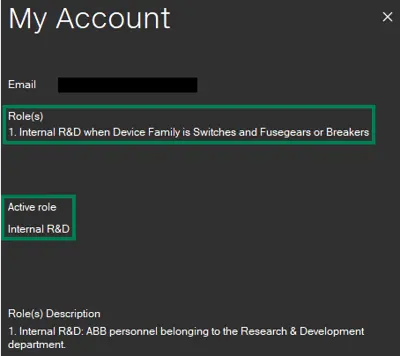 |