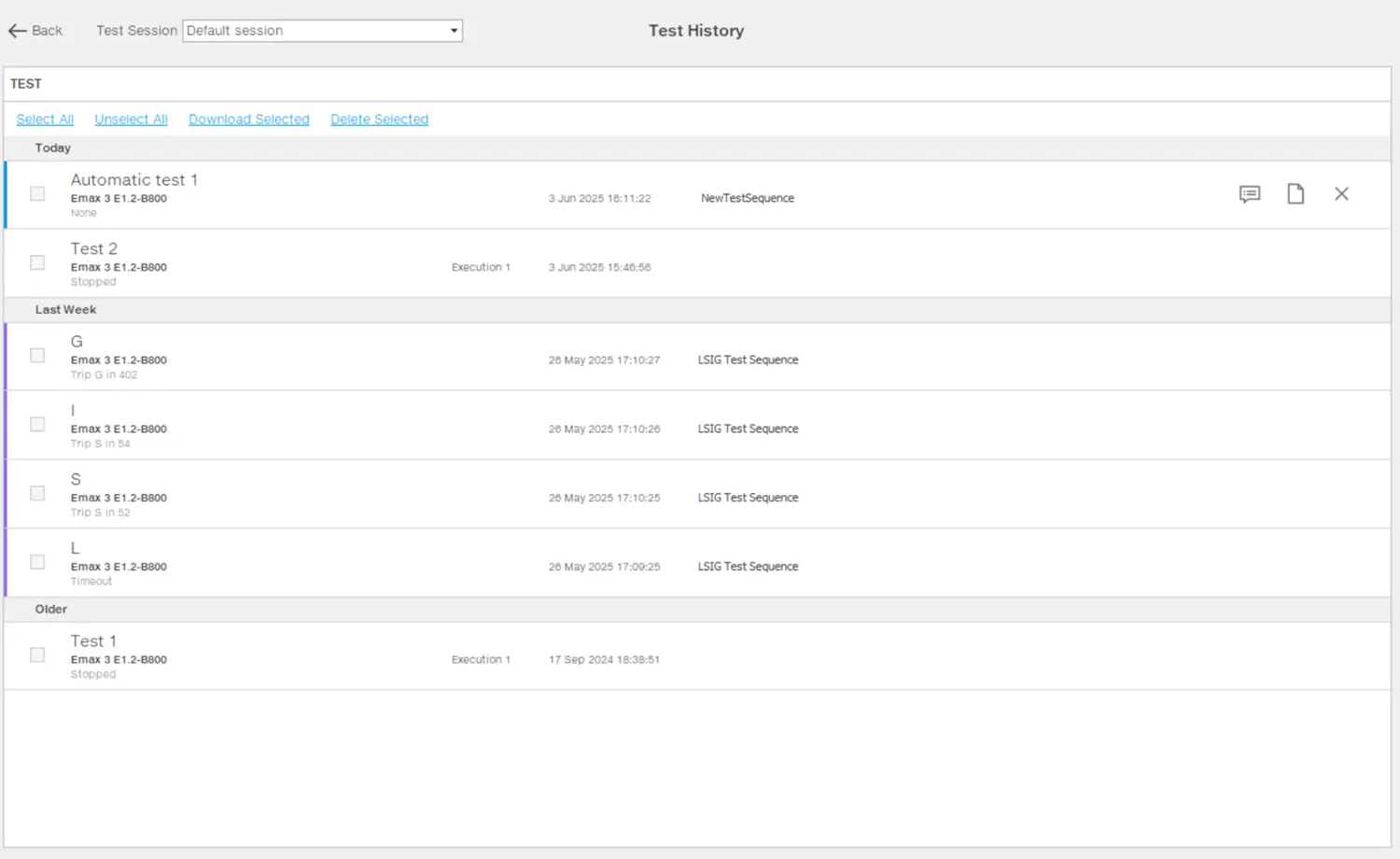
This is the page where users can review the test reports from both LSIG test and Pro test. Test history page is available for consultation both online and offline.
The report contains the following information:
session name and operator
test name
test date and time
current and voltage values generated during the test, represented in a phasor diagram
settings of the device tested
test result
descriptor file in use
Ekip Connect version
What it looks like
Part
Description
Test session
Available test sessions:
Default session: session created automatically by Ekip Connect to collect the generated tests without additional information.
Customized sessions: sessions created by the user to collect tests with the same additional information.
Test operation menu
A menu to manage test reports.
Test
List of tests performed in the session selected in Test sessions. The following details are provided for each test:
Result: Tripped/Not tripped/Stopped
Test name
Type and customized name of the device
Test generation date and time
Any test sequence to which the test belongs ( test Sequence or LSIG Test Sequence )
 : view test report
 : deletes a test
 : add/edit notes