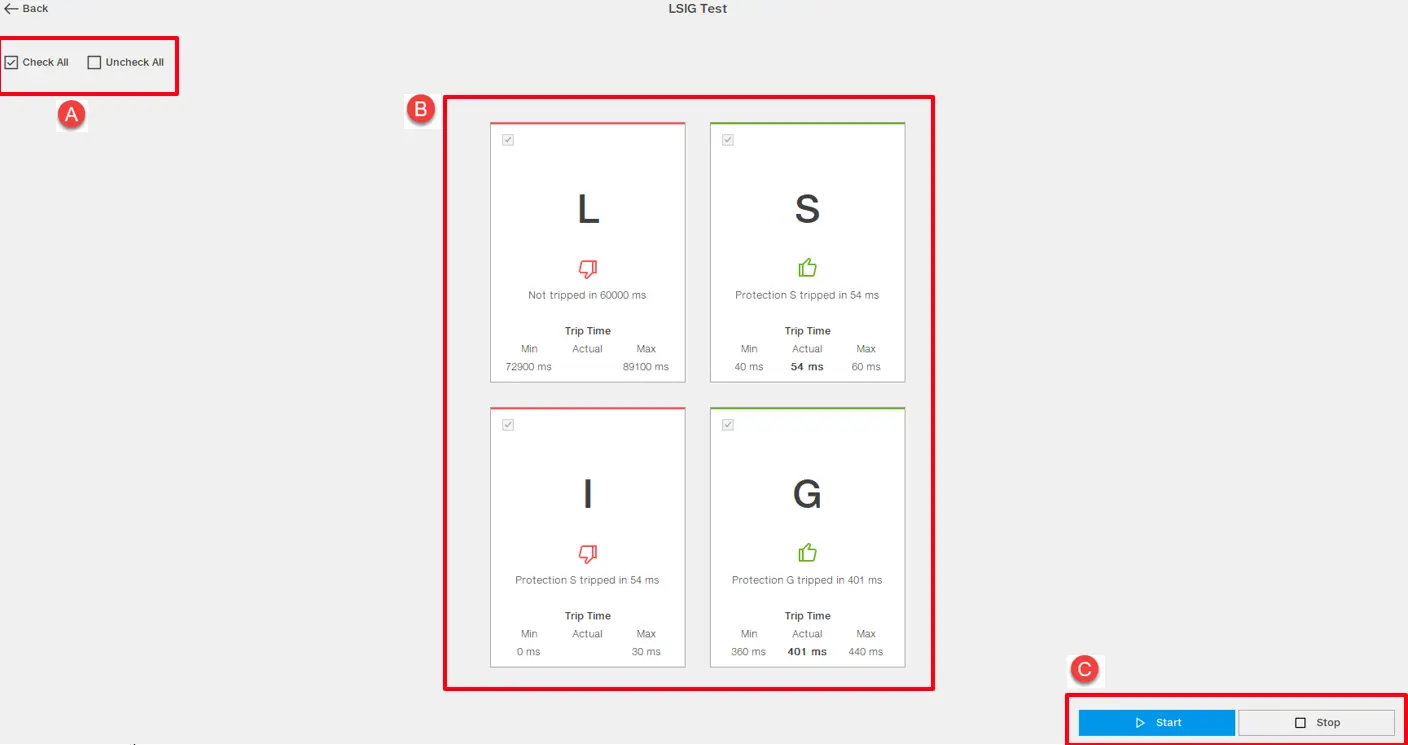
LSIG is the test to verify the LSIG protections* tripping activity. The test is executed in the flow of calculating intersections between intervention curves of the chosen protection/s. The tool is free to use for all level of role assigned to users. The enabling of the protection tiles depends on the current situation of protection presence. If any protection (L,S,I,G) is not present in the device, the corresponding protection will be shown grayed out and cannot be selected for testing. The LSIG test is available with the Sace Emax 3 breaker.
*Long time overcurrent protection, Short time short-circuit protection, Instantaneous current Protection, Ground fault protection
Tool Overview
PART
DESCRIPTION
A
Check box area to manage multiple selection of protections
B
Protection test selection and result area
C
Start / Stop button area to manage the execution of test
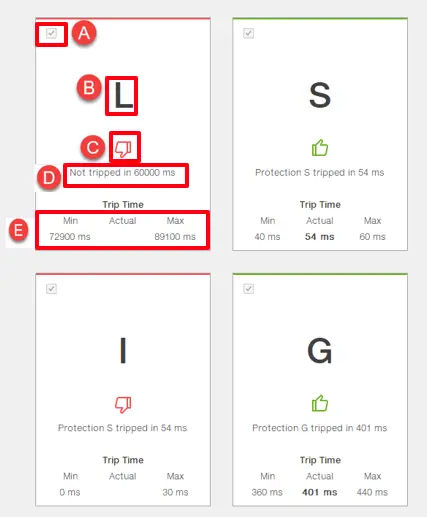
Further details for the test section related Protection tab:
Part
Description
A
Check box to select Protection to be tested
B
Protection identifier
C
The icon which shows the result of test for that specific protection, fail or success
D
The result of the test for specific protection
E
Trip time related information for that specific protection. Min refers expected minimum time, Actual refers trip time and Max refers expected maximum time in seconds.
The steps to run LSIG Test:
User selects the desired protection/s checking the check box for each. To manage multiple protection selection, check box options "Check all" and "Unchecked All" can be clicked.
User clicks on button "Start" to run the test for the selected protections. The icon (C) will be updated to inform user about the progress and will be changed to "Running".
Once the test is concluded, (results for each protection can be consulted from the icons), the tool prompts the user to generate a report. If the user consents, the report is generated and opened automatically. Furthermore , the generated report will be available in the "Test history" section even if the user does not have any connected device.
The generated report contains result pages for each tested protection and a dedicated page that displays the results for each protection in a consultable table.